
May 7
No stories bug
I accidentally switched on the No Stories mode on Instagram. I turned it off. I restarted my phone. I still can’t see stories. I want to see stories. Please fix.
Completed
Quick question before I dig in: open Settings → Customize Filters → Instagram and look at the Stories row. Is the toggle showing OFF, or did it snap back to ON with a small "turns off in Xh…" countdown row underneath? If it's the countdown: that's commitment delay holding it for 24h. You can either wait it out, or turn off "Commitment delay" in Settings first, then flip Stories off, that'll apply instantly. If the toggle is genuinely OFF and stories still aren't showing, that's a real bug and I'll want to look at it, let me know.
It’s actually off and I have no filter delay. Stories still don’t show
Thank you! I will fix this in the morning, meanwhile there's a temporary workaround while I look into it. Inside the Instagram tab in Dull, tap the "···" button in the toolbar to turn off all filters for that session. Stories will come back. Filters re-enable when you leave the tab. I'll dig into why the toggle isn't sticking and push a fix.
I saw you resolved the thread. I downloaded the update and tried it, no dice. Restarted my phone, no dice. I tried the temporary workaround you suggested, and it just didn’t work. I clicked bypass all filters this session, and not only were stories still gone, but all other filtered content was also still gone. It didn’t do anything
really sorry, this dragging on is on me. one quick question that'd save me from shipping another build that might not actually help: inside instagram in dull, at the very top of the feed, do you see your own avatar with a small + and "your story" under it? or is that whole strip completely missing — like the feed just starts where the story bubbles should be? if you can screenshot (a) the top of instagram and (b) settings → customize filters → instagram, even better. saves me guessing what's on your screen. (separately: I think I've found why the "···" bypass button did nothing for you. that's a real bug, fix is being tested now. wanted to make sure stories specifically come back for you, not just "filters technically work again.")
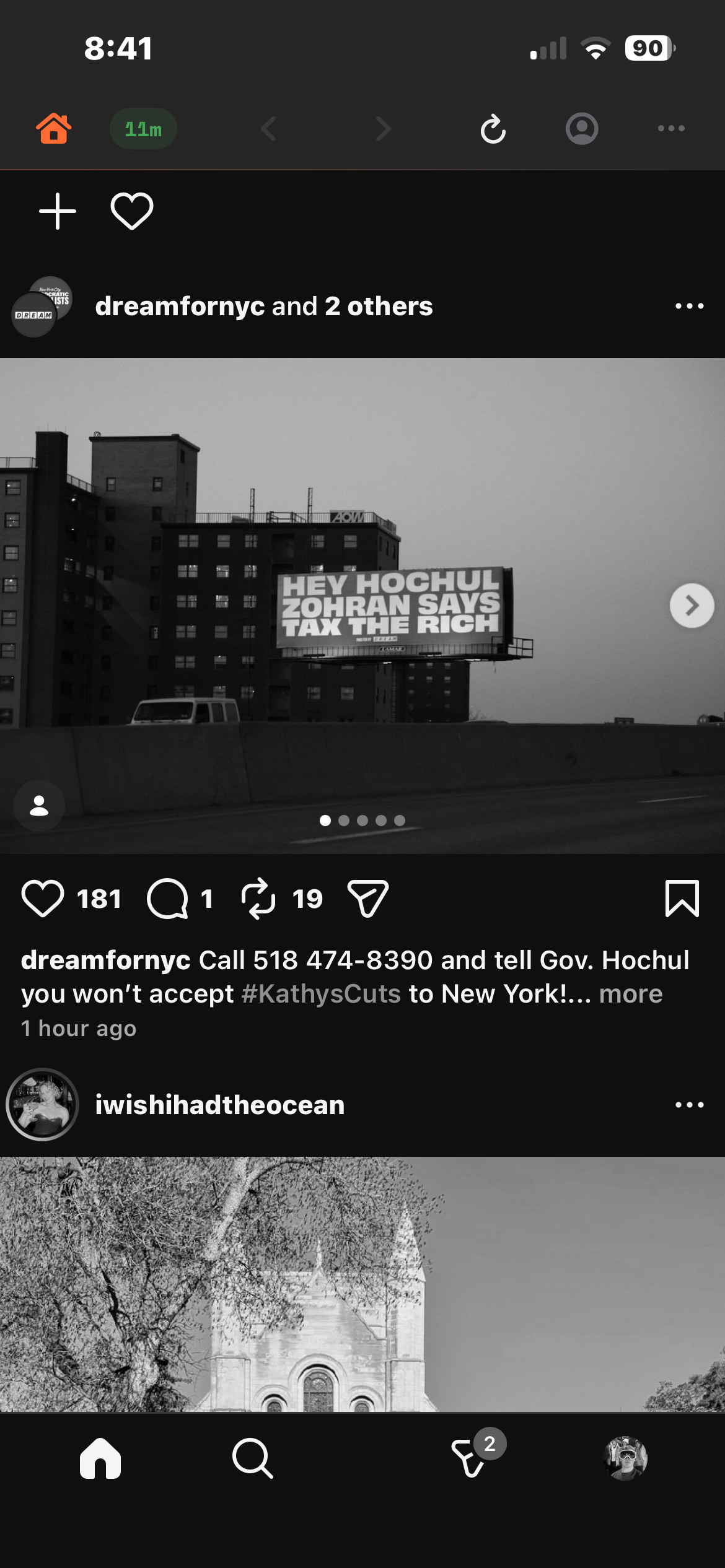
honestly haven't been able to pin down what's holding it on for your install, couldn't reproduce the same state on my end, so I'm flying a bit blind from outside. could be some stale filter setting stuck somewhere I'm not catching. quickest thing to try: settings → customize filters → instagram, and flip every row back to its default. stories OFF, reels/threads/explore/suggested/bottom nav ON, the rest OFF. then force-quit dull from the app switcher (swipe up, flick its card off-screen) and reopen. if stories still don't come back after that, the nuclear reset is to delete and reinstall dull. that wipes all of dull's local state and gives you a clean slate. you'll have to log back into IG inside dull, and when you hit the paywall during onboarding, tap "restore purchases" at the bottom, that'll bring your subscription back via apple ID so nothing paid gets lost. really sorry for the run-around on this one. let me know if reinstalling fixes this issue.
I think I found it. It’s friends-only mode that is incompatible with stories. When I turn on friends only, stories vanish. When it switch it off, stories come back.
But I want both stories on and friends only mode on
Ooh, good catch, this makes sense! I will do some testing and ship a fix asap.
Can you update to the latest version of the app and let me know if the bug persists? If so try also going to filter settings, scrolling to bottom and hitting reset filters. Then does it persist?